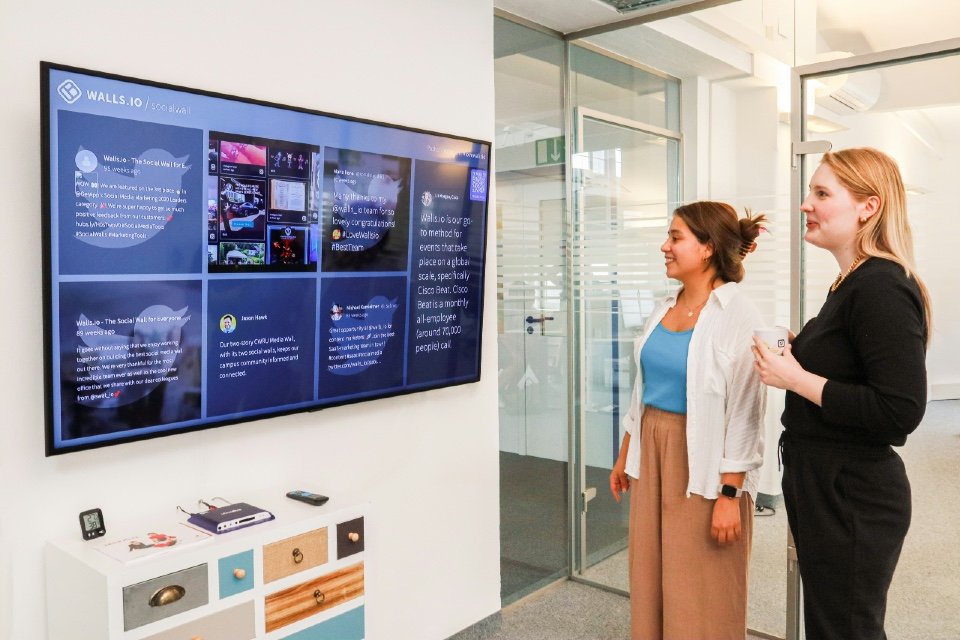



Contact centres generate a constant flow of operational information, from incoming call volumes and customer waiting times to agent availability, service levels and digital channel activity. But having access to this information does not automatically make it useful.
Managers may need to monitor several dashboards to understand where pressure is building, while agents can struggle to see how current demand is affecting the wider operation.
Contact centre display boards, often known as wallboards, are designed to make important information visible to the people who need it.
Modern solutions can display live queue information, highlight service issues and help teams respond when customer demand changes.
However, the challenge for buyers is selecting technology that supports better decisions rather than simply displaying more statistics.
A wallboard filled with dozens of metrics may look impressive but offer little practical value if nobody knows which information requires attention.
The starting question should therefore be: what do our teams need to see, and what should they be able to do differently because they can see it?
At a Glance: What Contact Centres Should Compare
| Area to assess | Why it matters | What to check |
|---|---|---|
| Real-time KPIs | Helps teams identify changing demand | Queue volumes, waiting times, service levels and availability |
| System integration | Determines the reliability of information | Contact centre platform, CRM and reporting connections |
| Display design | Makes important information easier to interpret | Layout, readability, accessibility and visual alerts |
| Customisation | Supports different teams and responsibilities | Configurable dashboards, filters and user permissions |
| Operational alerts | Helps managers respond before problems escalate | Thresholds, notifications and escalation rules |
| Data governance | Protects employees and sensitive information | Access controls, privacy, appropriate monitoring and retention |
Understand the Difference Between Wallboards and Dashboards
Contact centre wallboards and management dashboards often use similar information, but they can serve different purposes.
A wallboard is typically designed to provide a shared view of operational performance, often displayed on large screens in a contact centre.
It may show how many customers are waiting, current service levels and whether sufficient agents are available.
A management dashboard may provide more detailed information, historical comparisons and opportunities to investigate performance.
Microsoft Dynamics 365 Contact Center, for example, includes a real-time wallboard view designed to bring conversation demand, queue health, representative availability and service performance together.
Buyers should establish whether they require shared displays, individual dashboards or a combination of both.
The right solution depends on who needs the information and how they will use it.
Prioritise the Most Useful Real-Time Metrics
One of the biggest mistakes is attempting to display every available contact centre KPI.
Common measures include calls or conversations waiting, average speed of answer, longest waiting time, service level and agent availability.
However, the most valuable information depends on the operation.
A customer-service team handling urgent enquiries may need particular visibility of waiting times.
Another managing substantial digital messaging volumes may need to monitor unanswered conversations and the availability of suitably skilled agents.
Google Cloud’s contact centre guidance recommends focusing real-time dashboards on queue demand, waiting times and agent occupancy, with information that supports immediate operational decisions.
Buyers should ask whether displays can be configured around their actual service priorities.
The objective should be to make important information immediately recognisable.
Make Service Levels Easy to Interpret
Service level is one of the most familiar contact centre performance measures.
It commonly describes the proportion of interactions answered within a defined target time.
However, organisations should not assume that every platform calculates the measure in exactly the same way.
Microsoft’s contact centre documentation explains how reporting periods and the treatment of conversations affect displayed metrics.
Buyers should establish how the proposed solution defines and calculates service performance.
This is particularly important where information is being combined from different systems or communication channels.
A wallboard should help teams understand whether customers are receiving the intended service.
It should not create disagreements about which figures are correct.
Monitor Queues Before Problems Escalate
One of the most practical uses of a display board is identifying when customer demand begins to exceed available capacity.
A rising number of waiting calls, increasing longest wait time or sudden reduction in available agents may indicate that intervention is needed.
The information becomes more valuable when managers can respond.
That might involve temporarily reallocating suitably skilled staff, adjusting offline activities or investigating a technical issue affecting a particular queue.
Google Cloud identifies intraday resource rebalancing and service-level protection as important uses of real-time dashboards.
Buyers should therefore examine whether information refreshes frequently enough to support timely decisions.
A display that updates too slowly may be useful for general reporting but less effective during rapidly changing conditions.
Include Digital Channels
Many contact centres now support customers through email, live chat, messaging and other digital channels alongside traditional voice calls.
A display board designed exclusively around telephone queues may therefore provide an incomplete view of operational demand.
However, different channels need different measures.
A customer waiting in a live chat queue may require a rapid response, while an email enquiry could have a longer agreed response target.
Buyers should examine whether the system can distinguish between these channels and present suitable metrics for each.
They should also consider how interactions are counted when customers move between channels or when AI-powered self-service handles part of the journey.
The aim should be a coherent view of customer demand rather than forcing every interaction into the same reporting model.
Compare Integration Capabilities
Display boards depend on the accuracy and availability of information supplied by other systems.
These may include contact centre platforms, workforce management software, CRM applications and business intelligence tools.
Buyers should establish whether the proposed solution connects directly with their existing technology.
Can it retrieve live queue information? Does it support the relevant digital channels? Are updates delayed by additional reporting processes?
The supplier should also explain what happens when a connection fails.
An outdated figure presented as current information could lead managers to make inappropriate decisions.
Clearly displaying data refresh times and connection status can help users understand whether the information remains reliable.
Design Displays Around Different Users
Not everyone in a contact centre needs the same information.
Agents may benefit from a simple view of queue pressure and team service levels.
Supervisors may require more detailed information about waiting customers, staffing availability and emerging exceptions.
Senior managers may be interested in overall operational performance across several teams or locations.
Buyers should therefore look for appropriate customisation.
Can different displays be created for different groups? Can users filter information by queue, channel or location? Are sensitive operational details restricted to authorised individuals?
The aim is not to give everyone access to everything.
It is to provide each group with the information needed to perform its responsibilities effectively.
Use Visual Alerts Without Creating Noise
Colour-coded indicators, symbols and alerts can make changes in operational performance easier to recognise.
For example, a queue might change status when waiting times exceed an agreed threshold.
However, poorly configured alerts can become distracting.
If a display continuously changes colour or issues frequent warnings, employees may stop paying attention.
Buyers should establish how thresholds are defined and whether alerts can reflect different service priorities.
Accessibility is also important.
The Web Content Accessibility Guidelines advise against using colour as the only way to communicate meaning.
A warning should therefore be understandable through suitable text, symbols or other indicators.
The best alerts direct attention towards meaningful changes rather than simply make the screen more visually active.
Avoid Turning Wallboards into Pressure Boards
Real-time performance visibility can help employees understand operational demands and support teamwork.
But displaying individual performance information publicly can also create unnecessary pressure.
For example, ranking agents according to call handling time or the number of interactions completed may encourage behaviour that improves the displayed measure without improving customer outcomes.
The Information Commissioner’s Office (ICO) advises employers that worker monitoring must be lawful, necessary, proportionate and transparent.
Contact centres should therefore consider which information genuinely needs to be visible on shared displays.
Team-level performance may be appropriate in circumstances where individual information would serve little operational purpose.
Buyers should involve HR and relevant employee representatives where necessary.
A display board should help people deliver better service, not make them feel permanently judged by a screen.
Balance Speed with Customer Experience
Fast responses are important, but speed alone does not demonstrate good customer service.
A team could achieve excellent answer times while struggling to resolve enquiries effectively.
Similarly, reducing average handling time might appear positive while increasing repeat contact.
Display boards should therefore be part of a wider performance framework.
Some measures, such as queue length and current wait time, are suitable for immediate operational monitoring.
Others, including customer satisfaction, resolution quality and repeat contact, may be more useful through periodic reporting.
Buyers should distinguish between what teams need to know right now and what managers need to investigate over time.
The objective is to balance operational efficiency with the outcomes customers actually experience.
Consider Remote and Hybrid Teams
Traditional wallboards are often associated with large screens on a contact centre floor.
But many organisations now have agents working across different locations, including from home.
Buyers should establish whether relevant information can also be accessed through secure browser-based dashboards or other suitable interfaces.
Remote agents may benefit from visibility of team demand without requiring access to detailed management reports.
Supervisors managing distributed teams may need consistent information regardless of where employees are working.
However, personal devices and remote access can introduce additional security considerations.
The chosen solution should support the organisation’s working arrangements without exposing unnecessary information.
Check the Practical Display Requirements
The software is only one part of a display board installation.
Organisations also need to consider screen size, positioning, mounting, network connectivity and ongoing maintenance.
A dashboard that looks clear on a desktop monitor may be difficult to read from several metres away.
Buyers should assess readability in the actual working environment.
Important figures need to be visible without requiring employees to study a crowded screen.
Screen placement should also take account of lighting, viewing angles and accessibility.
Where multiple displays are required, organisations should establish how content will be managed and whether updates can be applied centrally.
A well-designed interface can lose much of its value if the physical installation is unsuitable.
Consider Security and Data Protection
Contact centre reporting may include information about employees, operational activity and potentially customer interactions.
Buyers should establish which information is processed and how access is controlled.
Shared displays should generally avoid exposing personal customer information or sensitive employee details unnecessarily.
The ICO’s worker-monitoring guidance emphasises data minimisation, transparency and clearly defined purposes.
Organisations should therefore establish whether the intended information is appropriate for public display within the workplace.
They should also examine user permissions, authentication, data retention and the security of integrations with existing systems.
The objective is to improve operational visibility without creating avoidable privacy or security risks.
Review Total Cost and Support
Display board solutions may involve software licences, hardware, installation, integrations and ongoing support.
Some contact centre platforms include wallboard functionality, while other organisations may consider specialist reporting or visualisation products.
Buyers should establish what is already available through their existing systems before purchasing additional technology.
They should also consider maintenance responsibilities, software updates and any costs associated with adding users, screens or data sources.
Where displays are business-critical, support arrangements matter.
The supplier should explain how technical issues are reported and resolved and what happens if live information becomes unavailable.
The most appropriate solution is one that can be maintained reliably without creating disproportionate administration.
Questions to Ask Contact Centre Display Board Providers
Before selecting a solution, contact centre leaders should consider:
- Which real-time KPIs can the display show?
- How frequently does the information update?
- Can metrics be filtered by queue, channel or location?
- How does the solution integrate with our existing contact centre platform?
- Can voice and digital channel activity be displayed together?
- How are service levels and other measures calculated?
- Can separate views be created for agents, supervisors and managers?
- What thresholds and operational alerts are available?
- Can displays be customised without specialist development?
- Does the interface remain readable on large screens?
- What accessibility features are supported?
- Can remote and hybrid teams access appropriate information?
- How is sensitive employee or customer information protected?
- What hardware, installation and support requirements apply?
- How will we establish whether the displays improve operational performance?
Frequently Asked Questions
What is a contact centre display board?
A contact centre display board, often called a wallboard, presents operational information such as queue volumes, waiting times, service levels and agent availability, usually in near real time.
What KPIs should a contact centre wallboard display?
Common measures include contacts waiting, longest waiting time, service level, average speed of answer and agent availability. The appropriate selection depends on the operation and its service objectives.
What is the difference between a wallboard and a dashboard?
Wallboards usually provide a shared, easily understood view of operational conditions, while dashboards may offer more detailed reporting, filtering and performance analysis. Some platforms support both.
Can display boards support omnichannel contact centres?
Yes. Suitable platforms may display information across voice, chat, email and messaging channels, although organisations should use appropriate measures for the different types of interaction.
Can wallboards improve customer service?
They can help managers identify changes in demand and respond more quickly. However, improvements depend on accurate data, useful measures and clear procedures for taking action.
Are there privacy concerns with agent performance wallboards?
Yes. Individual employee performance information may constitute personal data, so organisations need to ensure monitoring and display arrangements are lawful, necessary, proportionate and transparent.
Product & Services Guide
The Contact Centre & Customer Services Summit brings together senior contact centre and customer experience decision-makers with relevant solution providers through pre-arranged one-to-one meetings, offering an opportunity to explore display boards, real-time analytics, workforce management, communications technology and wider customer-service solutions.
Turn Visibility into Better Service
Contact centre display boards should not be treated simply as large screens showing how busy the operation is.
Their value comes from making important information available quickly enough for teams to respond.
A useful buying framework is: measure → display → recognise → act → improve
Measure the operational indicators that matter.
Display them clearly to the people who need them.
Recognise changes that require attention.
Take appropriate action.
Then review whether the response improved customer service.
The strongest contact centre display board isn’t necessarily the one showing the most information.
It’s the one that helps teams recognise what matters, respond at the right time and deliver a better experience for customers.
The Contact Centre & Customer Services Summit brings together senior contact centre and customer experience decision-makers with relevant solution providers through pre-arranged one-to-one meetings, offering an opportunity to explore display boards, real-time analytics, workforce management, communications technology and wider customer-service solutions.
Related Reading
This is the first article in our November Display Boards series.
It provides a buyer’s guide to comparing contact centre wallboards and real-time performance displays, including metrics, integrations, visualisation, operational alerts, accessibility and data governance.
The next article will examine how contact centres can use real-time wallboard data to improve queue management, staffing decisions and customer response times.
Sources
- Microsoft – Monitor Real-Time Metrics in the Wallboard View
- Microsoft – Monitor Queue Metrics and Performance
- Google Cloud – Real-Time Operations and Monitoring
- Daktela – Contact Centre Wallboards
- ICO – Data Protection and Monitoring Workers
- W3C – Understanding Use of Colour
- W3C – Designing for Web Accessibility
Image credit: Photo by Vitaly Gariev on Unsplash